Variable: AdwAboutDialog
constAdwAboutDialog:"AdwAboutDialog"
Defined in: generated/jsx.ts:12927
A dialog showing information about the application.
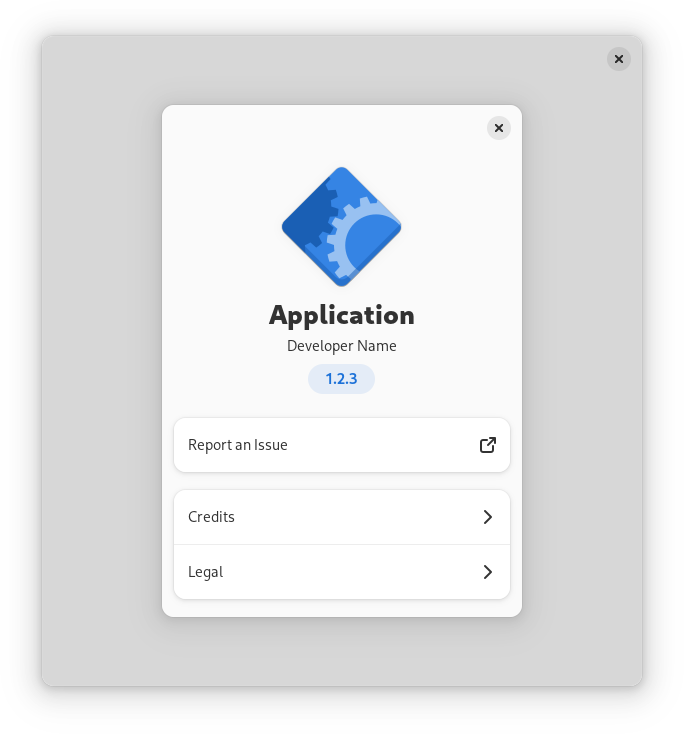
an about dialog is typically opened when the user activates the About …
item in the application's primary menu. All parts of the dialog are optional.
Main page
AdwAboutDialog prominently displays the application's icon, name, developer
name and version. They can be set with the AboutDialog.application-icon,
AboutDialog.application-name,
AboutDialog.developer-name and AboutDialog.version
respectively.
What's New
AdwAboutDialog provides a way for applications to display their release
notes, set with the AboutDialog.release-notes property.
Release notes are formatted the same way as AppStream descriptions.
The supported formatting options are:
- Paragraph (
<p>) - Ordered list (
<ol>), with list items (<li>) - Unordered list (
<ul>), with list items (<li>)
Within paragraphs and list items, emphasis (<em>) and inline code
(<code>) text styles are supported. The emphasis is rendered in italic,
while inline code is shown in a monospaced font.
Any text outside paragraphs or list items is ignored.
Nested lists are not supported.
Only one version can be shown at a time. By default, the displayed version number matches AboutDialog.version. Use AboutDialog.release-notes-version to override it.
Details
The Details page displays the application comments and links.
The comments can be set with the AboutDialog.comments property. Unlike Gtk.AboutDialog.comments, this string can be long and detailed. It can also contain links and Pango markup.
To set the application website, use AboutDialog.website. To add extra links below the website, use AboutDialog.add_link.
If the Details page doesn't have any other content besides website, the website will be displayed on the main page instead.
Troubleshooting
AdwAboutDialog displays the following two links on the main page:
- Support Questions, set with the AboutDialog.support-url property,
- Report an Issue, set with the AboutDialog.issue-url property.
Additionally, applications can provide debugging information. It will be shown separately on the Troubleshooting page. Use the AboutDialog.debug-info property to specify it.
It's intended to be attached to issue reports when reporting issues against the application. As such, it cannot contain markup or links.
AdwAboutDialog provides a quick way to save debug information to a file.
When saving, AboutDialog.debug-info-filename would be used as
the suggested filename.
Credits and Acknowledgements
The Credits page has the following default sections:
- Developers, set with the AboutDialog.developers property,
- Designers, set with the AboutDialog.designers property,
- Artists, set with the AboutDialog.artists property,
- Documenters, set with the AboutDialog.documenters property,
- Translators, set with the AboutDialog.translator-credits property.
When setting translator credits, use the strings "translator-credits" or
"translator_credits" and mark them as translatable.
The default sections that don't contain any names won't be displayed.
The Credits page can also contain an arbitrary number of extra sections below the default ones. Use AboutDialog.add_credit_section to add them.
The Acknowledgements page can be used to acknowledge additional people and organizations for their non-development contributions. Use AboutDialog.add_acknowledgement_section to add sections to it. For example, it can be used to list backers in a crowdfunded project or to give special thanks.
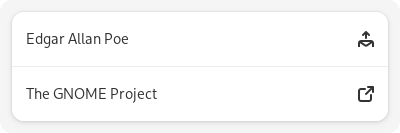
Each of the people or organizations can have an email address or a website
specified. To add a email address, use a string like
Edgar Allan Poe <edgarpoe.com>. To specify a website with a title, use a
string like The GNOME Project https://www.gnome.org:
Legal
The Legal page displays the copyright and licensing information for the application and other modules.
The copyright string is set with the AboutDialog.copyright
property and should be a short string of one or two lines, for example:
© 2022 Example.
Licensing information can be quickly set from a list of known licenses with the AboutDialog.license-type property. If the application's license is not in the list, AboutDialog.license can be used instead.
To add information about other modules, such as application dependencies or data, use AboutDialog.add_legal_section.
Other applications
AdwAboutDialog can show links to your other apps at the end of the main
page. To add them, use AboutDialog.add_other_app.
Constructing
To make constructing an AdwAboutDialog as convenient as possible, you can
use the function show_about_dialog which constructs and shows a
dialog.
static void
show_about (GtkApplication *app)
{
  const char *developers[] = {
    "Angela Avery",
    NULL
  };

  const char *designers[] = {
    "GNOME Design Team",
    NULL
  };

  adw_show_about_dialog (GTK_WIDGET (gtk_application_get_active_window (app)),
                         "application-name", _("Example"),
                         "application-icon", "org.example.App",
                         "version", "1.2.3",
                         "copyright", "© 2022 Angela Avery",
                         "issue-url", "https://gitlab.gnome.org/example/example/-/issues/",
                         "license-type", GTK_LICENSE_GPL_3_0,
                         "developers", developers,
                         "designers", designers,
                         "translator-credits", _("translator-credits"),
                         NULL);
}
CSS nodes
AdwAboutDialog has a main CSS node with the name dialog and the
style class .about.