Variable: GtkGrid
constGtkGrid:"GtkGrid"
Defined in: generated/jsx.ts:16024
Arranges its child widgets in rows and columns.
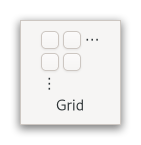
It supports arbitrary positions and horizontal/vertical spans.
Children are added using Gtk.Grid.attach. They can span multiple rows or columns. It is also possible to add a child next to an existing child, using Gtk.Grid.attach_next_to. To remove a child from the grid, use Gtk.Grid.remove.
The behaviour of GtkGrid when several children occupy the same grid
cell is undefined.
GtkGrid as GtkBuildable
Every child in a GtkGrid has access to a custom Gtk.Buildable
element, called <layout>. It can by used to specify a position in the
grid and optionally spans. All properties that can be used in the <layout>
element are implemented by Gtk.GridLayoutChild.
It is implemented by GtkWidget using Gtk.LayoutManager.
To showcase it, here is a simple example:
<object class="GtkGrid" id="my_grid">
  <child>
    <object class="GtkButton" id="button1">
      <property name="label">Button 1</property>
      <layout>
        <property name="column">0</property>
        <property name="row">0</property>
      </layout>
    </object>
  </child>
  <child>
    <object class="GtkButton" id="button2">
      <property name="label">Button 2</property>
      <layout>
        <property name="column">1</property>
        <property name="row">0</property>
      </layout>
    </object>
  </child>
  <child>
    <object class="GtkButton" id="button3">
      <property name="label">Button 3</property>
      <layout>
        <property name="column">2</property>
        <property name="row">0</property>
        <property name="row-span">2</property>
      </layout>
    </object>
  </child>
  <child>
    <object class="GtkButton" id="button4">
      <property name="label">Button 4</property>
      <layout>
        <property name="column">0</property>
        <property name="row">1</property>
        <property name="column-span">2</property>
      </layout>
    </object>
  </child>
</object>
It organizes the first two buttons side-by-side in one cell each.
The third button is in the last column but spans across two rows.
This is defined by the row-span property. The last button is
located in the second row and spans across two columns, which is
defined by the column-span property.
CSS nodes
GtkGrid uses a single CSS node with name grid.
Accessibility
Until GTK 4.10, GtkGrid used the Gtk.AccessibleRole.group role.
Starting from GTK 4.12, GtkGrid uses the Gtk.AccessibleRole.generic role.