Variable: GtkInfoBar
constGtkInfoBar:"GtkInfoBar"
Defined in: generated/jsx.ts:16463
GtkInfoBar can be used to show messages to the user without a dialog.
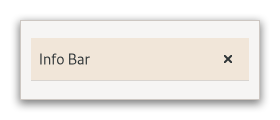
It is often temporarily shown at the top or bottom of a document.
In contrast to Gtk.Dialog, which has an action area at the
bottom, GtkInfoBar has an action area at the side.
The API of GtkInfoBar is very similar to GtkDialog, allowing you
to add buttons to the action area with Gtk.InfoBar.add_button
or Gtk.InfoBar.new_with_buttons. The sensitivity of action widgets
can be controlled with Gtk.InfoBar.set_response_sensitive.
To add widgets to the main content area of a GtkInfoBar, use
Gtk.InfoBar.add_child.
Similar to Gtk.MessageDialog, the contents of a GtkInfoBar
can by classified as error message, warning, informational message, etc,
by using Gtk.InfoBar.set_message_type. GTK may use the message
type to determine how the message is displayed.
A simple example for using a GtkInfoBar:
GtkWidget *message_label;
GtkWidget *widget;
GtkWidget *grid;
GtkInfoBar *bar;

// set up info bar
widget = gtk_info_bar_new ();
bar = GTK_INFO_BAR (widget);
grid = gtk_grid_new ();

message_label = gtk_label_new ("");
gtk_info_bar_add_child (bar, message_label);
gtk_info_bar_add_button (bar,
                         _("_OK"),
                         GTK_RESPONSE_OK);
g_signal_connect (bar,
                  "response",
                  G_CALLBACK (gtk_widget_hide),
                  NULL);
gtk_grid_attach (GTK_GRID (grid),
                 widget,
                 0, 2, 1, 1);

// ...

// show an error message
gtk_label_set_text (GTK_LABEL (message_label), "An error occurred!");
gtk_info_bar_set_message_type (bar, GTK_MESSAGE_ERROR);
gtk_widget_show (bar);
GtkInfoBar as GtkBuildable
GtkInfoBar supports a custom <action-widgets> element, which can contain
multiple <action-widget> elements. The “response” attribute specifies a
numeric response, and the content of the element is the id of widget
(which should be a child of the dialogs action_area).
GtkInfoBar supports adding action widgets by specifying “action” as
the “type” attribute of a <child> element. The widget will be added
either to the action area. The response id has to be associated
with the action widget using the <action-widgets> element.
CSS nodes
GtkInfoBar has a single CSS node with name infobar. The node may get
one of the style classes .info, .warning, .error or .question, depending
on the message type.
If the info bar shows a close button, that button will have the .close
style class applied.