Variable: GtkButton
constGtkButton:"GtkButton"
Defined in: generated/jsx.ts:13917
Calls a callback function when the button is clicked.
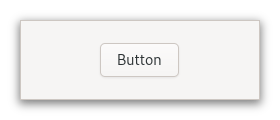
The GtkButton widget can hold any valid child widget. That is, it can hold
almost any other standard GtkWidget. The most commonly used child is the
GtkLabel.
Shortcuts and Gestures
The following signals have default keybindings:
- Gtk.Button.:activate
CSS nodes
GtkButton has a single CSS node with name button. The node will get the
style classes .image-button or .text-button, if the content is just an
image or label, respectively. It may also receive the .flat style class.
When activating a button via the keyboard, the button will temporarily
gain the .keyboard-activating style class.
Other style classes that are commonly used with GtkButton include
.suggested-action and .destructive-action. In special cases, buttons
can be made round by adding the .circular style class.
Button-like widgets like Gtk.ToggleButton, Gtk.MenuButton,
Gtk.VolumeButton, Gtk.LockButton, Gtk.ColorButton
or Gtk.FontButton use style classes such as .toggle, .popup, .scale,
.lock, .color on the button node to differentiate themselves from a plain
GtkButton.
Accessibility
GtkButton uses the Gtk.AccessibleRole.button role.