Variable: GtkShortcutsWindow
constGtkShortcutsWindow:"GtkShortcutsWindow"
Defined in: generated/jsx.ts:19462
A GtkShortcutsWindow shows information about the keyboard shortcuts
and gestures of an application.
The shortcuts can be grouped, and you can have multiple sections in this window, corresponding to the major modes of your application.
Additionally, the shortcuts can be filtered by the current view, to avoid showing information that is not relevant in the current application context.
The recommended way to construct a GtkShortcutsWindow is with
Gtk.Builder, by using the <child> tag to populate a
GtkShortcutsWindow with one or more Gtk.ShortcutsSection objects,
which contain one or more Gtk.ShortcutsGroup instances, which, in turn,
contain Gtk.ShortcutsShortcut instances.
If you need to add a section programmatically, use Gtk.ShortcutsWindow.add_section instead of Gtk.Window.set_child, as the shortcuts window manages its children directly.
A simple example:
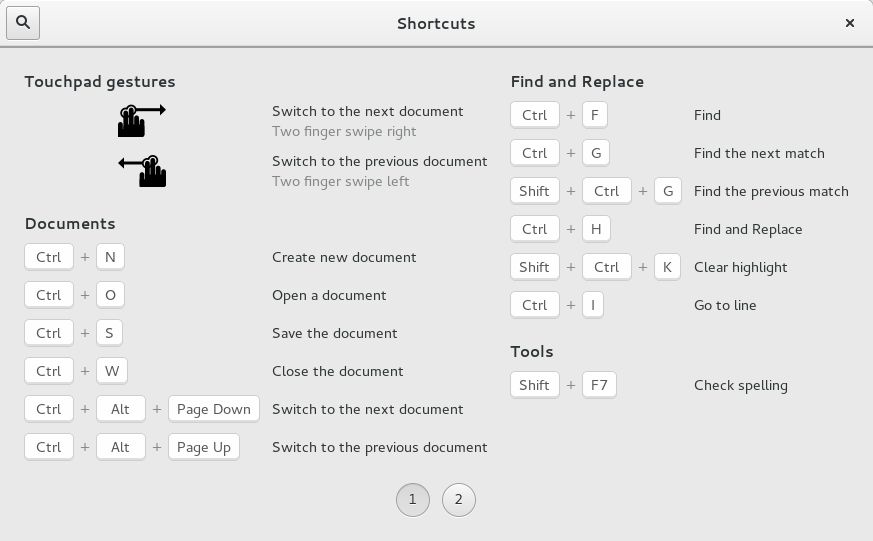
This example has as single section. As you can see, the shortcut groups are arranged in columns, and spread across several pages if there are too many to find on a single page.
The .ui file for this example can be found here.
An example with multiple views:
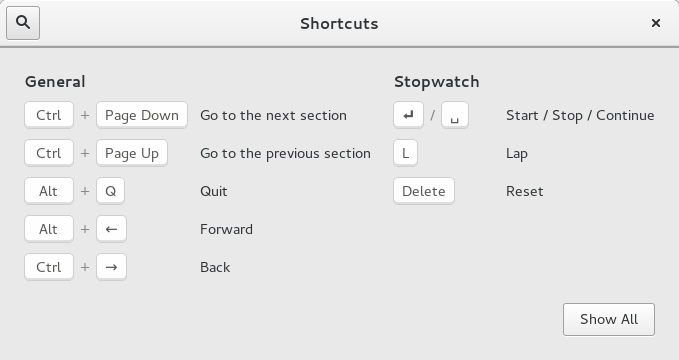
This example shows a GtkShortcutsWindow that has been configured to show only
the shortcuts relevant to the “Stopwatch” view.
The .ui file for this example can be found here.
An example with multiple sections:
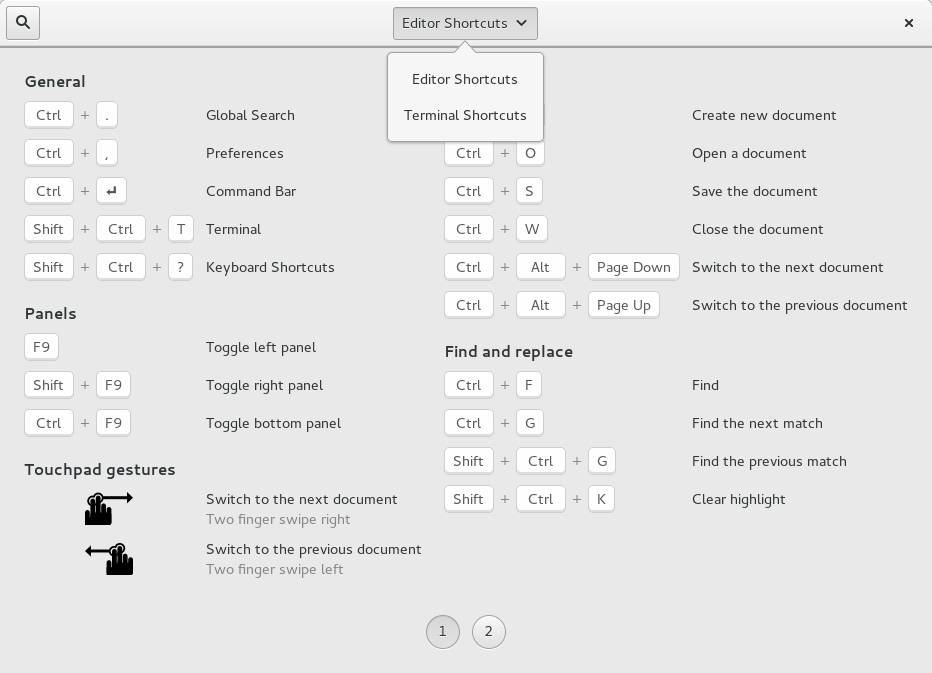
This example shows a GtkShortcutsWindow with two sections, “Editor Shortcuts”
and “Terminal Shortcuts”.
The .ui file for this example can be found here.
Shortcuts and Gestures
The following signals have default keybindings:
- Gtk.ShortcutsWindow.:close
- Gtk.ShortcutsWindow.:search
CSS nodes
GtkShortcutsWindow has a single CSS node with the name window and style
class .shortcuts.