Variable: AdwViewSwitcher
constAdwViewSwitcher:"AdwViewSwitcher"
Defined in: generated/jsx.ts:21051
An adaptive view switcher.
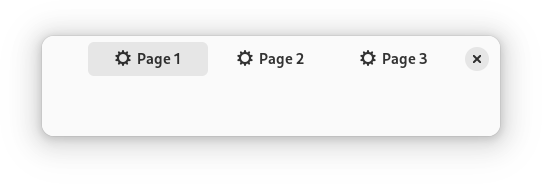
An adaptive view switcher designed to switch between multiple views contained in a ViewStack in a similar fashion to Gtk.StackSwitcher.
AdwViewSwitcher buttons always have an icon and a label. They can be
displayed side by side, or icon on top of the label. This can be controlled
via the ViewSwitcher.policy property.
AdwViewSwitcher is intended to be used in a header bar together with
ViewSwitcherBar at the bottom of the window, and a Breakpoint
showing the view switcher bar on narrow sizes, while removing the view
switcher from the header bar, as follows:
<object class="AdwWindow">
  <child>
    <object class="AdwBreakpoint">
      <condition>max-width: 550sp</condition>
      <setter object="switcher_bar" property="reveal">True</setter>
      <setter object="header_bar" property="title-widget"/>
    </object>
  </child>
  <property name="content">
    <object class="AdwToolbarView">
      <child type="top">
        <object class="AdwHeaderBar" id="header_bar">
          <property name="title-widget">
            <object class="AdwViewSwitcher">
              <property name="stack">stack</property>
              <property name="policy">wide</property>
            </object>
          </property>
        </object>
      </child>
      <property name="content">
        <object class="AdwViewStack" id="stack"/>
      </property>
      <child type="bottom">
        <object class="AdwViewSwitcherBar" id="switcher_bar">
          <property name="stack">stack</property>
        </object>
      </child>
    </object>
  </property>
</object>
It's recommended to set ViewSwitcher.policy to
ADW_VIEW_SWITCHER_POLICY_WIDE in this case.
You may have to adjust the breakpoint condition for your specific pages.
CSS nodes
AdwViewSwitcher has a single CSS node with name viewswitcher. It can have
the style classes .wide and .narrow, matching its policy.
Accessibility
AdwViewSwitcher uses the GTK_ACCESSIBLE_ROLE_TAB_LIST role and uses the
GTK_ACCESSIBLE_ROLE_TAB for its buttons.